2026 Guide to the TSA PreCheck Renewal Process
Advertiser disclosure



To renew TSA PreCheck, you complete a short online application with one of TSA’s authorized enrollment providers (CLEAR, IDEMIA, or Telos) and pay the renewal fee, which starts at $58.75 [2]. You can renew up to six months before your membership expires [3], and TSA recommends doing it at least 60 days ahead to avoid a lapse [4]. Most members can renew entirely online without another fingerprinting appointment, and your Known Traveler Number (KTN) stays the same [2][3].
This guide covers each step of the renewal process, when you might need an in-person visit, how long approval takes, the eligibility requirements to review before you apply, and how GOV+ can help with the process. It also covers the benefits you keep as a member, including Touchless ID, which lets eligible members at 65 participating airports verify their identity with facial comparison [1], plus answers to common questions about expiration dates and renewing early.
GOV+ is a private company, not affiliated with or endorsed by the Transportation Security Administration (TSA).
Complete an online renewal application and pay the renewal fee
For the average traveler, renewing a PreCheck enrollment is significantly easier than the initial application process.
First, TSA PreCheck members must complete an online renewal application with one of TSA's authorized enrollment providers (CLEAR, IDEMIA, or Telos). In most cases, you won’t have to return to an in-person enrollment center for another identity check and fingerprinting.
You’ll also pay the renewal fee, which varies by enrollment provider. TSA currently lists online renewal at $58.75 with IDEMIA, $69.95 with Telos, and $72.95 with CLEAR, and several credit cards and loyalty programs offer a statement credit toward the fee. If you’d like help simplifying the renewal process, reach out to GovPlus. GOV+ is a private company, not affiliated with or endorsed by any government agency. We can help you prepare your TSA PreCheck renewal so you can focus on the benefits—an easier, seamless flying experience.
If necessary, complete an in-person screening
Most members can renew entirely online, but some renewals have to be completed in person at an enrollment center [2][3]. A legal name change since your first enrollment or most recent renewal is one reason this can happen. If your name has changed, TSA gives you two options [3]:
- Renew in person at an enrollment center.
- Update your name by contacting the enrollment provider handling your renewal, then renew online. Name changes can take up to 45 days to process, so start early if your expiration date is close [3].
If you renew in person after a name change, bring an original or certified copy of your legal name change document, such as a marriage certificate or divorce decree, along with your identity and citizenship documents. The name on every document must match the name on your application [7].
Wait for approval notification
After you submit your renewal application, pay the fees, and attend an in-person appointment at an enrollment center (if needed), the only thing left to do is wait.
TSA says most applicants get a result in three to five days, but some renewals can take up to 60 days, so TSA recommends renewing at least 60 days before your expiration date [4]. You can check the status of your application online anytime. [9].
TSA will notify you once a decision is made on your eligibility [8]. Depending on your enrollment provider, the notice may come by email, by text, or through your online account. Keep an eye on all three, including your spam folder. Because your KTN stays the same when you renew [2], you don’t need to update your airline profiles or existing reservations. You can keep using the PreCheck lane as usual.
TSA PreCheck requirements
Before completing the renewal application and paying the non-refundable application fee, make sure that you still meet the requirements for TSA PreCheck and understand what TSA PreCheck does. TSA PreCheck fliers must:
- Hold US citizenship, be a US national, or Lawful Permanent Resident (LPR) [7][10]
- Not be convicted of certain crimes [10]
- Follow airport and airline protocols [10]
Your eligibility status may have changed since your initial application or your most recent renewal, so review the requirements carefully before submitting the renewal form. TSA runs a security threat assessment on applicants [10], and members go through recurrent criminal history vetting for as long as they’re enrolled [11]. A new disqualifying offense can lead to a temporary suspension or a permanent disqualification, depending on its severity [11].
And when you’re ready, whether you’re renewing your TSA PreCheck or applying for the whole family, GOV+ makes the process easy. Start with our online form. We’ll walk you through the eligibility requirements, help schedule any necessary in-person appointments, and help you gather the correct documentation.
TSA PreCheck benefits
Renewing your TSA PreCheck membership means keeping access to one of the most convenient perks in air travel. Here's what stays in your corner once you're approved:
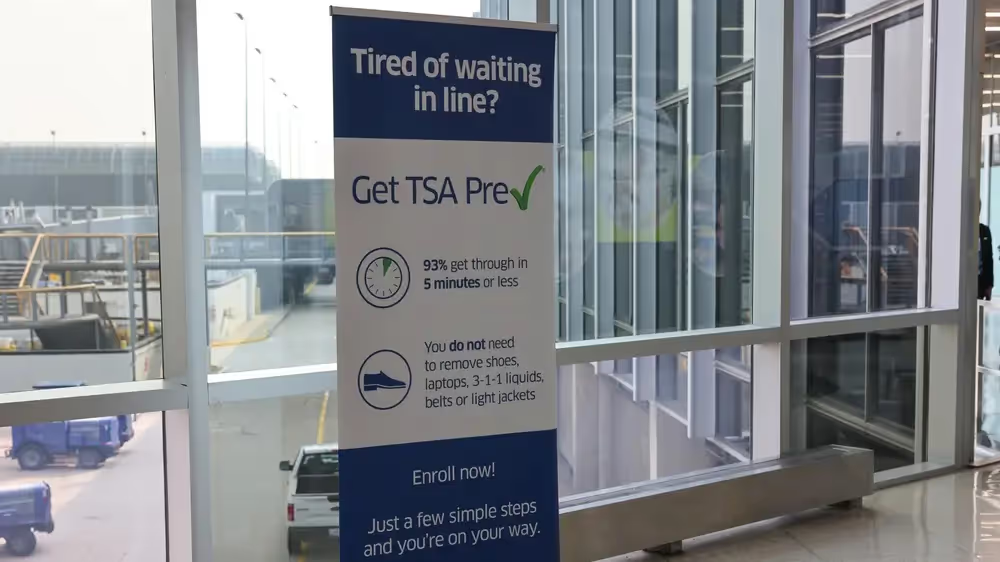
Expedited screening. In TSA PreCheck lanes, you can generally keep your shoes, belt, and light jacket on, and leave your laptop and 3-1-1 liquids in your bag [2]. To use the lane, the TSA PreCheck indicator must appear on your boarding pass before you reach the checkpoint [6]. Expedited screening isn’t guaranteed on every trip, because TSA uses unpredictable security measures throughout the airport [5]. As of its July 2024 announcement, TSA reported that about 99% of PreCheck passengers in dedicated lanes wait less than 10 minutes at checkpoints nationwide [6].
Touchless ID. At 65 participating airports, eligible PreCheck members can verify their identity with facial comparison instead of handing over an ID [1]. To use it, you need:
- an active TSA PreCheck membership
- a valid passport
- either an active profile with a participating airline or a Google ID pass in Google Wallet [1]
If you go through an airline, add your KTN and passport number and country to your profile, then opt in. Once TSA confirms your enrollment, a Touchless ID indicator appears on your boarding pass [1]. You need both a participating airport and a participating airline [14], so check with your airline before you fly. TSA’s enrollment provider Telos encourages travelers to carry their physical ID even when using Touchless ID [14].
Works at more than 200 airports and nearly 100 airlines. Whether you’re flying a major carrier or a regional route, chances are your airport and airline are covered [6].
Traveling with kids. Children 17 and under can join you in the PreCheck lane without their own membership when the PreCheck indicator appears on their boarding pass [5]. Kids 12 and under can accompany you without restriction. Teens 13 to 17 must be on the same reservation as you, and the indicator must also appear on their own boarding pass [6].
Ready to renew?
TSA PreCheck lasts five years, and many members can renew online through their enrollment provider without a new appointment. If you’d rather not risk a lapse, GOV+ prepares your renewal and reminds you before your membership expires.
GOV+ makes the process easy:
- One guided form — answer a few questions and we prepare your online application.
- Eligibility check — we compare your answers against TSA's published eligibility rules before you submit.
- Appointment scheduling — we set up any required in-person visits for you.
- Document guidance — we tell you which documents to bring based on your situation.
- Real-time tracking — monitor your application status at every step.
After TSA approves your membership, GOV+ keeps your membership from slipping through the cracks, with automatic renewal reminders.
Renew your TSA PreCheck membership.
Frequently asked questions
When does TSA PreCheck expire?
TSA PreCheck membership lasts five years, and each renewal adds another five years [2]. You can check your expiration date in two ways:
- Look up your KTN and expiration date online with TSA’s KTN lookup tool [2][12].
- Call the TSA Contact Center at (866) 289-9673 [11].
If you have a valid email address or phone number on file, TSA’s enrollment providers will send renewal notices six months, three months, one month, and two weeks before your membership expires [15]. With GOV+ Premium, you can also get a renewal reminder from us, and we’ll help you through the process when it’s time to renew [7].
Can I renew TSA PreCheck early?
Yes. You can renew your TSA PreCheck membership up to six months before your expiration date [3][4]. Renewing early is a smart move if you have travel planned around your expiration date and don’t want to risk a lapse in your PreCheck status. Get help with your TSA PreCheck renewal from GOV+.
References
- Transportation Security Administration. “TSA PreCheck® Touchless ID.” https://www.tsa.gov/touchless-id
- Transportation Security Administration. “TSA PreCheck® Renewals.” https://www.tsa.gov/precheck/renew
- Transportation Security Administration. “How do I renew my TSA PreCheck® membership?” https://www.tsa.gov/travel/frequently-asked-questions/how-do-i-renew-my-tsa-precheckr-membership
- Transportation Security Administration. “When should I renew my TSA PreCheck® membership?” https://www.tsa.gov/travel/frequently-asked-questions/when-should-i-renew-my-tsa-precheckr-membership
- Transportation Security Administration. “TSA PreCheck®.” https://www.tsa.gov/precheck
- Transportation Security Administration. “TSA PreCheck® program adds four new airlines.” July 1, 2024. https://www.tsa.gov/news/press/releases/2024/07/01/tsa-precheckr-program-adds-four-new-airlines (replaces the March 28, 2024 release)
- Telos. “TSA PreCheck Touchless ID: Everything You Need to Know.” August 18, 2026. https://www.telos.com/blog/2026/08/18/tsa-precheck-touchless-id-everything-you-need-to-know/
- Transportation Security Administration. “How long does it take to get approved?” https://www.tsa.gov/travel/frequently-asked-questions/how-long-does-it-take-get-approved
- Transportation Security Administration. “TSA PreCheck® Application Program” (fact sheet). https://www.tsa.gov/news/press/factsheets/tsa-precheck-application-program
- Transportation Security Administration. “Disqualifying Offenses and Other Factors.” https://www.tsa.gov/disqualifying-offenses-factors
- Transportation Security Administration. “What might disqualify me from renewing my TSA PreCheck® membership?” https://www.tsa.gov/travel/frequently-asked-questions/what-might-disqualify-me-renewing-my-tsa-precheckr-membership
- Transportation Security Administration. “How will I know when my TSA PreCheck® membership expires?” https://www.tsa.gov/travel/frequently-asked-questions/how-will-i-know-when-my-tsa-precheckr-membership-expires