


A passport photo gets rejected when it fails one or more of the State Department's technical specifications — most commonly incorrect dimensions, a non-white background, glasses, shadows, or a photo older than six months. All of these are detectable before you mail your application.
This article covers the eight most common rejection reasons, a step-by-step pre-screening checklist you can run at home, what happens if the State Department rejects your photo after submission, and how to resubmit correctly.
Passport photos must meet a precise set of technical standards. The State Department uses these requirements to ensure each applicant's face is clearly identifiable, consistently lit, and unaltered, so identity verification holds up across international travel and document review.
The requirements aren't complicated, but they are exact. Many rejections happen because the applicant took a photo at a retail photo counter without checking the printed dimensions, used a smartphone app that automatically applied a beauty filter or AI enhancement, or submitted a photo taken over a year ago that no longer matched their current appearance. Going through the requirements before you submit the photo is how you avoid the photo being rejected.
Virtually every passport photo rejection traces back to one of eight specification violations. Most are visible before you mail. The table below maps most common reasons to the State Department requirement it violates, so you can double check your photo before you ship that envelope
For lighting setup, pose, and print preparation, we recommend our guide to taking a passport photo at home.
Yes. Your photo, a ruler, and good lighting are all you need.
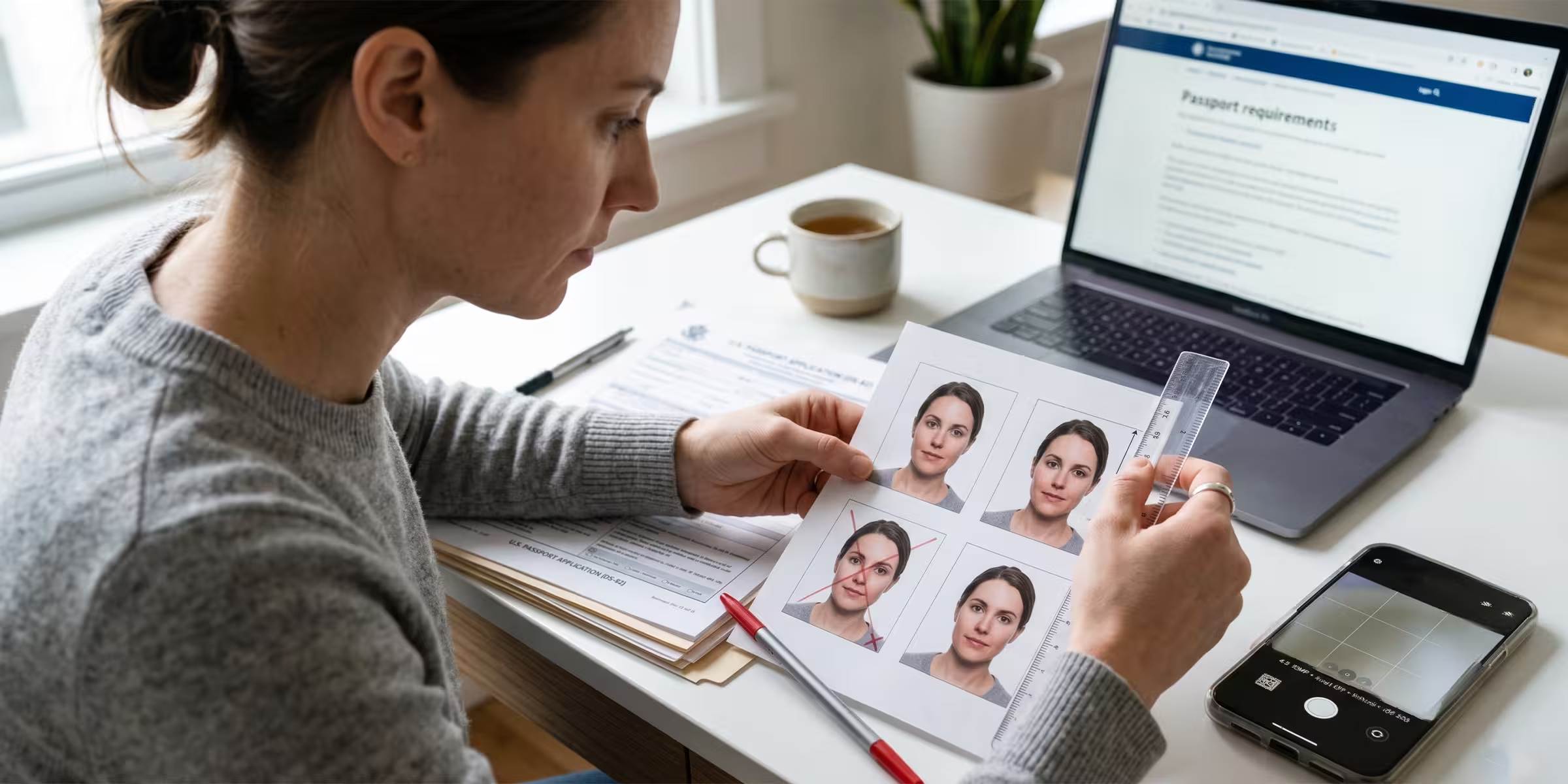
Step 1: Measure the print. For a printed photo, use a ruler. The print must be exactly 2 x 2 inches. Within that frame, your head must measure between 1 and 1-3/8 inches from the bottom of your chin to the top of your head. Do not eyeball this — a photo that looks right can still fall outside the range.
For a digital file, open the image in any photo viewer or editor and check the image dimensions in the file properties. Your file must be between 600 x 600 and 1,200 x 1,200 pixels. Check the format is JPEG or HEIF, and confirm the file size is under 10 MB.
Step 2: Check the background. Hold the photo against a sheet of plain white paper. If the background of the photo has any gray or cream cast, it may not meet the plain white requirement. Look for faint shadows along the edges or behind your shoulders.
Step 3: Confirm your face is fully unobstructed. No glasses of any kind. No hat or head covering unless you wear them daily for documented religious practice. No hair falling across your eyes or obscuring your forehead. Your full face from chin to crown must be clearly visible.
Step 4: Look for shadows on your face. Lighting from directly overhead or from a single side tends to cast shadows under your nose, chin, or on one side of your face. The photo must show uniform, even illumination across your entire face.
Step 5: Confirm no digital edits were applied. If the photo was taken with a smartphone, check whether your camera app automatically applies a beauty filter, AI portrait enhancement, or skin-smoothing effect. Many do this by default. If any enhancement was applied, retake with all automatic adjustments disabled for a compliant passport photo. The State Department explicitly prohibits photos altered by AI tools or any computer software.
Step 6: Check the date. If the photo was taken more than six months before your application submission date, it does not meet the recency requirement. Retake a new photo.
The State Department offers a free online photo cropping tool that resizes your digital file to the correct dimensions. If you are renewing online rather than by mail, the tool also formats your file to the digital upload specification (600 x 600 to 1,200 x 1,200 pixels, JPEG or HEIF format, under 10 MB).
If you are submitting through GOV+, the preparation process checks your photo against these same State Department specifications before your package is assembled for mailing.
If the State Department finds a problem with your photo after receiving your application, they suspend the application and return it with written notice identifying the rejection reason and instructions for resubmitting a compliant photo. If a compliant photo is received, the application continues. If no action is taken within 90 days, the application is denied without further action.
The practical consequence is added processing time on top of whatever timeline you were already expecting. If you submitted expecting routine processing of 4 to 6 weeks, a photo rejection adds however long it takes to retake, reprint, and reship, plus the remaining processing time on the corrected submission.
If you paid for expedited service, the current fee is $60. That fee is refundable only if the State Department misses its expedited processing commitment — refund requests are reviewed case by case. A photo rejection does not automatically create a refund right.
GOV+ is a private filing-assistance service. The State Department issues the passport. What GOV+ passport service does is prepare your application package before it goes out: walking you through Form DS-11 for a first passport or Form DS-82 for a renewal by mail, checking your photo against State Department specifications, and assembling your package for mailing to the appropriate processing center.
The photo check is part of the preparation. It reviews your photo against the State Department's published requirements. It won't catch every possible rejection scenario, since print quality and physical dimensions depend on where and how you had the photo printed. But it catches the specification violations that are most common and most preventable before your package ships.
Ready to submit a passport application that goes in right the first time?
GOV+ prepares your complete passport application package from start to finish:
Apply for a new passport or renew your passport with GOV+.
Your printed passport photo must be exactly 2 x 2 inches (51 x 51 mm), on matte or glossy photo paper. Within that frame, your head must measure between 1 and 1-3/8 inches (25 to 35 mm) from the bottom of your chin to the top of your head. Photos outside this range are rejected. For online renewal submissions, your digital file must be between 600 x 600 and 1,200 x 1,200 pixels in JPEG or HEIF format, with a file size under 10 MB.
Yes. The State Department does not permit eyeglasses in passport photos, including prescription glasses, sunglasses, or tinted lenses. If you cannot remove your glasses for medical reasons, you must include a signed doctor's note explaining the medical necessity with your application. Any photo submitted with glasses, regardless of prescription strength or lens tint, will be rejected.
Yes, provided you disable all AI enhancements, beauty filters, and background-replacement features before shooting. The State Department explicitly prohibits photos altered by AI tools, filters, or any computer software. Check your camera app settings before taking the photo, and use the State Department's free photo cropping tool to resize the image to the required 2 x 2 inch dimensions.
The background must be plain white or off-white, with no shadows, patterns, textures, or objects visible. A gray background, a background with subtle texture, or a white background with visible shadows from lighting will all cause rejection. If you are taking the photo at home, hang a plain white sheet or stand in front of a white wall, and verify there are no shadows cast by overhead or side lighting before shooting.
Your photo must have been taken within six months of your application submission date. Photos taken more than six months before submission are rejected, regardless of whether your appearance has changed. If you have a photo from a prior application attempt that is now more than six months old, retake it before mailing.


1,500,000+





© 2026 EIN Plus LLC DBA GovPlus. All rights reserved. GovPlus® is a registered trademark of EIN Plus LLC.
GovPlus® is a private online software technology company not affiliated nor endorsed by any Government or State agency. GovPlus® is authorized by the U.S. Department of State, through its subsidiary Premier Passports LLC as a registered passport courier, by the Internal Revenue Service (IRS) as an authorized e-file provider, by the Financial Crimes Enforcement Network (FinCEN) as a Beneficial Ownership Information (BOI) provider. We do not charge for any forms; however, we charge for the use of our software to assist you in completing forms. GovPlus® is not a federal or state agency, financial institution, accounting firm, or law firm, and we do not provide legal or financial advice. GovPlus® does not issue any government documents. You can apply directly for government services at their official websites at no cost beyond government fees.
Terms and conditions, features, support, pricing, and service options subject to change without notice.