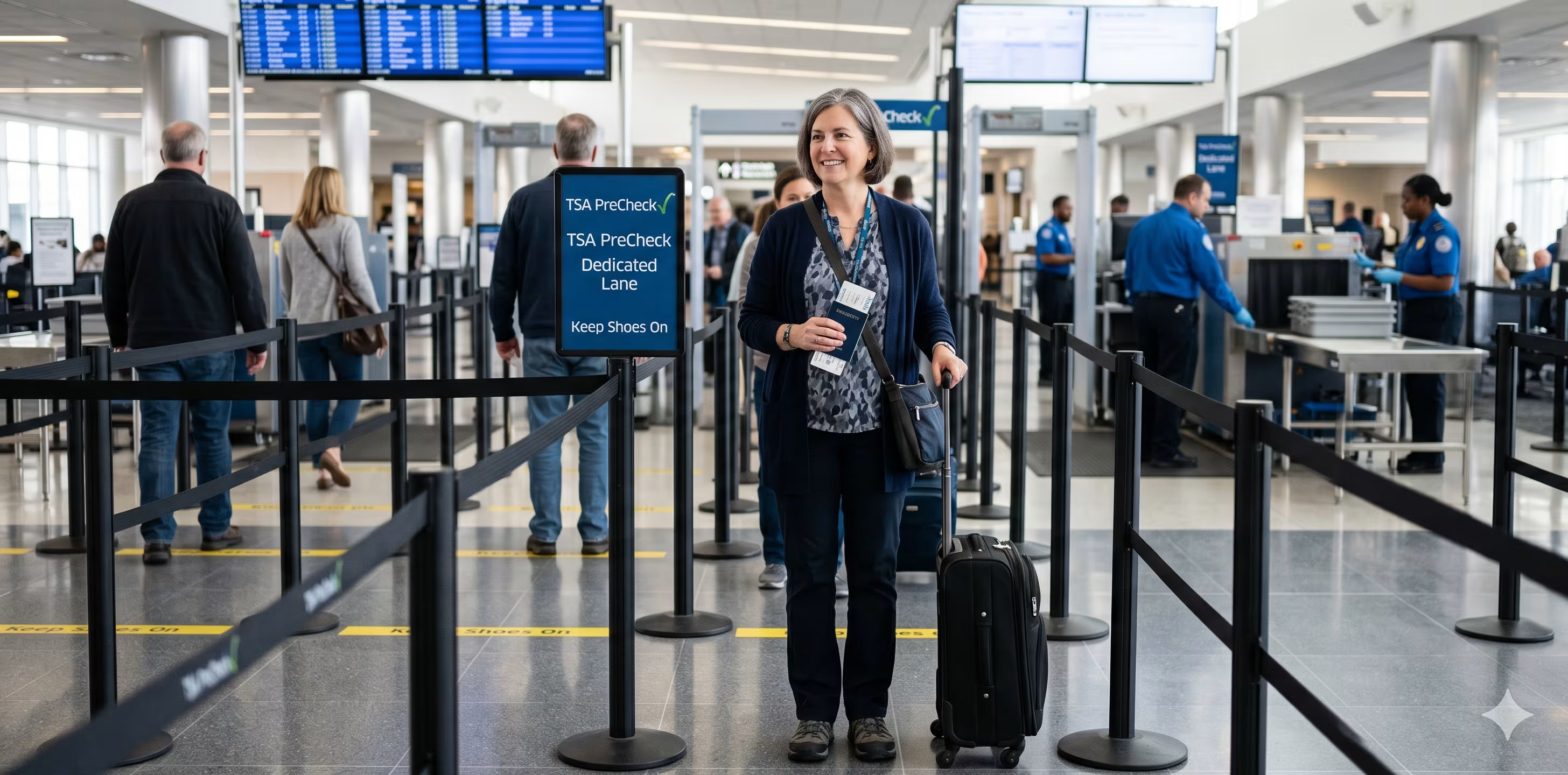



TSA PreCheck enrollment involves more than filling out a form online. Every new applicant must complete an in-person appointment at a TSA-authorized enrollment center to verify identity and collect fingerprints — and scheduling that appointment is a step many people fumble on their own. GOV+ handles both: the application preparation and the appointment booking.
This guide explains the full enrollment process, what the appointment actually involves, what documents to bring, and where a filing assistance service like GOV+ fits in.
The appointment itself is straightforward. You go to a TSA-authorized enrollment center, check in at the desk, and a staff member walks you through identity verification, biometric collection, and sometimes payment. The whole in-person visit typically takes about 10 minutes.
Here's what happens during the visit, in sequence:
After your appointment, TSA reviews your background and, if approved, issues your Known Traveler Number. That approval typically comes within three to five business days, though TSA states timelines can extend to 60 days depending on the review.
You need documents that verify both your identity and your U.S. citizenship or lawful status. A valid U.S. passport book or passport card satisfies both requirements on its own. If you don’t have a passport, you'll need two documents — one for identity, one for citizenship.
One detail worth checking before your appointment: if your name has changed due to marriage, divorce, or a court order, bring the corresponding certified documentation — a marriage certificate, divorce decree, or legal name-change order. A name that doesn't closely match across your documents is one of the most common causes of enrollment delays, and it's straightforward to resolve if you come prepared.
GOV+ provides a personalized document checklist when you apply through the service, so you know exactly what to bring before you set foot at an enrollment center. Start your TSA PreCheck application here.
The right time to schedule depends on your travel plans and how much buffer you want before your first flight.
Most applicants receive their Known Traveler Number within three to five business days of their enrollment appointment, though TSA states the process can take up to 60 days in some cases. As a planning guideline — not a TSA rule — finishing your appointment at least four to six weeks before your travel date gives you reasonable cushion for the full adjudication window.
A few factors are worth checking when you go to book:
The practical rule of thumb: if your trip is within 60 days, start the process now. If travel is further out, getting your appointment on the calendar two to three months ahead removes time pressure and keeps your options open.
For a step-by-step guide on how to complete your TSA PreCheck application online before you head to your appointment, that resource walks through the online portion of the process.
Each adult needs a separate TSA PreCheck enrollment — a separate application process, a separate appointment, and a separate enrollment fee. There is no family application option. If you and your spouse both want PreCheck, you each go through the process individually.
For children, the rules depend on age and whether they're traveling with an enrolled adult.
Children 12 and under can accompany an enrolled parent or guardian in the TSA PreCheck lane. The PreCheck indicator does not need to appear on the child's boarding pass — they can join you in the lane regardless.
Children 13 to 17 can use the PreCheck lane when traveling with an enrolled adult, but only if the TSA PreCheck indicator appears on the child's boarding pass. To get that indicator:
If the child is on a separate reservation, they will not receive the PreCheck indicator unless they have their own KTN.
Children traveling alone should enroll in TSA PreCheck if they travel independently on a regular basis.
Understanding the full sequence removes the guesswork. The process is linear: each step depends on the one before it. The GOV+ TSA$ PreCheck application service helps with steps 1 and 2 (application preparation and appointment booking) before you set foot at an enrollment center.
The appointment scheduling piece is where many applicants lose time on their own. The enrollment center booking system requires you to know which providers operate in your area, navigate their individual scheduling portals, and compare availability across locations. GovPlus consolidates that step, booking the appointment as part of the filing process rather than leaving it as a separate task to figure out.
Whether you're renewing your TSA PreCheck or applying for the first time, GOV+ makes the process easy.
And once you're approved, GOV+ keeps your membership from slipping through the cracks, with automatic renewal reminders so your PreCheck never expires without warning.
Ready to apply for TSA PreCheck? Get started here.
The in-person enrollment appointment typically takes about 10 minutes. During that time, the enrollment center verifies your identity documents, collects your fingerprints and photo, has you answer a few brief eligibility questions, and processes your payment. Wait time before the appointment depends on whether you scheduled in advance; scheduled appointments are given priority over walk-ins, so arriving with a booking generally means little to no wait.
Some TSA-authorized enrollment centers accept walk-ins, but scheduled appointments take priority. During busy periods (peak travel seasons, lunch hours, or high-volume locations), walk-in wait times can be significant, and some centers may have limited walk-in capacity. Scheduling your appointment in advance is the more reliable option and adds only a minute or two to the online portion of the process.
After your in-person enrollment, your application goes to TSA for adjudication. TSA reviews the background check and determines whether you qualify for the program. If approved, you'll receive your Known Traveler Number (KTN) usually by email. TSA's typical timeline is three to five business days, though the agency notes it can take up to 60 days in some cases. Once you have your KTN, add it to your airline frequent-flyer profiles and to any future flight bookings to activate the PreCheck benefit.
TSA PreCheck membership is valid for five years. When your membership expires, you'll need to renew. Renewal can be completed fully online, without a new in-person appointment, and typically costs around $70 depending on the enrollment provider. GOV+ provides automatic renewal reminders as part of its service so you don't lose your PreCheck benefits unexpectedly.
GOV+ handles the appointment scheduling as part of its filing assistance service. After you complete your application through GOV+, the service identifies the closest TSA-authorized enrollment locations and books the earliest available appointment for you. You don't need to navigate enrollment provider websites or compare availability across locations. You receive appointment details and show up with the required documents.
Yes, but it does not eliminate security screening — it streamlines it. With an active TSA PreCheck membership, you use a dedicated lane where the physical screening process is significantly reduced. You can leave your shoes, belt, and light jacket on, keep your laptop and large electronics in your bag, and leave your 3-1-1 liquids in your carry-on. You still walk through a metal detector and your bags still go through an X-ray, but the steps that slow most travelers down are removed. The TSA PreCheck indicator must appear on your boarding pass for you to use the dedicated lane — simply having a KTN is not enough if it wasn't added to your reservation.
A REAL ID is not required to enroll in TSA PreCheck or to use the PreCheck lane. TSA PreCheck has its own accepted document list for enrollment, and a REAL ID-compliant driver's license is one option — but not the only one. A valid U.S. passport, for example, satisfies enrollment requirements on its own regardless of REAL ID status. At the security checkpoint, TSA PreCheck members present whatever ID they would normally use for their flight. It is worth noting that REAL ID enforcement affects standard domestic air travel identification requirements, so travelers who do not have a REAL ID-compliant document or a passport may face issues at the standard checkpoint regardless of PreCheck status.
No. TSA PreCheck does not issue a membership card and does not add any endorsement to your driver's license or other identification documents. Your benefit is tied to your Known Traveler Number (KTN), which you enter when booking flights. When your KTN is on file with an airline and your reservation qualifies, the TSA PreCheck indicator — printed as "TSA PRE✓" — appears directly on your boarding pass. That indicator is what grants access to the dedicated security screening lane. If the indicator is missing from your boarding pass on a given trip, you go through standard airport security even if your membership is active. Always verify your KTN is entered correctly in your airline frequent-flyer profile to avoid this.


1,500,000+






© 2026 EIN Plus LLC DBA GovPlus. All rights reserved. GovPlus® is a registered trademark of EIN Plus LLC.
GovPlus® is a private online software technology company not affiliated nor endorsed by any Government or State agency. GovPlus® is authorized by the U.S. Department of State, through its subsidiary Premier Passports LLC as a registered passport courier, by the Internal Revenue Service (IRS) as an authorized e-file provider, by the Financial Crimes Enforcement Network (FinCEN) as a Beneficial Ownership Information (BOI) provider. We do not charge for any forms; however, we charge for the use of our software to assist you in completing forms. GovPlus® is not a federal or state agency, financial institution, accounting firm, or law firm, and we do not provide legal or financial advice. GovPlus® does not issue any government documents. You can apply directly for government services at their official websites at no cost beyond government fees.
Terms and conditions, features, support, pricing, and service options subject to change without notice.


.jpeg)