


TSA PreCheck is an individual membership. There is no joint application for couples, no shared Known Traveler Number (KTN), and no way to add a second person to an existing membership. Each person applies separately, pays a separate enrollment fee, completes their own in-person appointment, and receives their own five-year membership.
The practical upside: couples can schedule appointments at the same enrollment center on the same day, align their document checklists in advance, and use a single filing service to track both applications through the same process. Here is what that looks like from start to finish.
Yes, with one important clarification: you apply at the same time, but not on the same application. TSA PreCheck has no joint application process option for couples or households. Each person completes an individual online pre-enrollment form, schedules a separate in-person appointment, and receives their own KTN.
Although, appointments for two people can be booked at the same enrollment center on the same day, often in back-to-back slots. Both people walk in, complete their sessions, and walk out having finished the enrollment process in the same visit. One thing matters here: each person must complete their own appointment. You cannot attend your partner's session, and their appointment does not satisfy your enrollment requirement.
TSA makes their decision after the in-person appointment. Approval timelines vary: some applicants hear back within a few days; others with more complex background checks may wait several weeks. When approved, TSA's enrollment provider sends each person their KTN, usually by email.
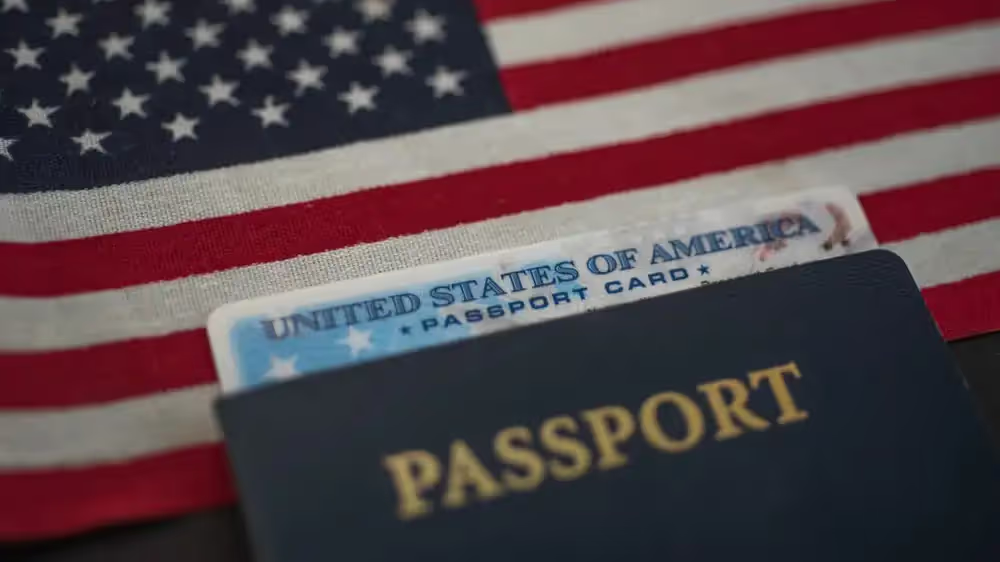
Each applicant needs to present identity documentation and citizenship or immigration documentation at their appointment. For most U.S. citizens, a valid U.S. passport satisfies both requirements with a single document. The TSA PreCheck enrollment program also accepts a combination of a driver's license or state ID for identity plus a birth certificate or naturalization certificate for citizenship.
The full accepted document list includes:
Neither person can use the other's documents. Each applicant presents their own paperwork at their own appointment. Document requirements can vary based on citizenship status, so couples where one partner is a naturalized citizen and one is U.S.-born may need different combinations. GOV+ document guidance reviews each person's situation individually and confirms the exact documents needed before appointment day, which reduces the chance that either applicant arrives with the wrong paperwork.
After TSA approves each application, both partners receive a KTN, usually in a confirmation email from TSA's enrollment provider. Each person then adds their KTN to two places: their airline loyalty program profile and any existing flight bookings. The TSA PreCheck indicator appears on a boarding pass only when the KTN is correctly entered for that specific reservation.
Adding the KTN to an airline profile handles future bookings automatically, as most carriers pull the number from the saved profile when a new reservation is made under that name. Existing reservations, particularly flights booked before enrollment, do not update retroactively. Both partners handle this step independently because each KTN is tied to one individual's TSA PreCheck membership. Entering one partner's KTN for the other passenger will not produce a PreCheck indicator.
If you arrive at the airport and one boarding pass is missing the TSA PRE indicator, the fix is usually adding the KTN to that booking's passenger record through the airline's website or app before check-in closes. After check-in, the boarding pass is issued and changing it may require going to the gate or check-in counter. Checking in advance is the cleaner solution. For flights booked through third-party sites, entering the KTN in the "Known Traveler Number" field on the passenger information page during booking gets the number into the reservation directly.
No couples discount is currently available for TSA PreCheck enrollment. The standard fee through TSA-authorized enrollment centers ranges from $76.75 to $85 per person for a five-year membership. Both partners pay the same rate regardless of whether they enroll on the same day or different days.
Some travel credit cards offer a statement credit that reimburses one TSA PreCheck enrollment fee every four to five years. Each cardholder can apply the credit to their own enrollment. For couples to both benefit from this, each person would need their own qualifying card.
The enrollment steps themselves are simple. What becomes complicated is the parallel coordination: two document checklists, two appointment bookings, two separate online applications to track, two KTNs to enter across every airline profile, and two renewal timelines that start drifting apart the moment approval dates differ.
A couple who enroll in the same week can find their expiration dates diverging by months if one background check takes longer than the other. Without active tracking, it is easy for one partner's membership to lapse before the other's, which breaks the shared-lane experience the enrollment was meant to create.
Tracking renewal reminders for each membership is easier when both applications run through the same service; GOV+ TSA PreCheck enrollment sends expiration alerts for each applicant so neither membership slips past its renewal window.
Whether your partner and you are renewing your TSA PreCheck or applying for the first time, GOV+ makes the process easy.
And once you're approved, GOV+ keeps your membership from slipping through the cracks, with automatic renewal reminders for both you and your partner so your PreCheck never expires without warning.
Ready to apply for TSA PreCheck? Get started here.
TSA PreCheck enrollment uses the name on your government-issued identity document, not your household name or your partner's last name. Couples with different last names enroll without issue. Each person applies under their own legal name, receives their own KTN tied to that name, and adds it to their airline accounts under the same name. The two memberships are completely separate with no link to each other in TSA's system.
This is common and expected. TSA processes each application individually, so one partner may be approved and receive their KTN days or even weeks before the other. The approved partner can begin using the PreCheck lane immediately on trips taken during that window. There is no joint approval requirement. Both memberships run independently once approved, and because approval dates differ, the five-year expiration dates will not be perfectly synchronized.
Yes. Most TSA-authorized enrollment centers allow two people to book appointments at the same center on the same day. Many locations have back-to-back time slots available. Each appointment lasts around ten minutes and handled individually. Sitting in on your partner's appointment is not permitted. Scheduling through GOV+ includes appointment setup for each applicant, which makes coordinating back-to-back slots at the same location straightforward.
Generally, no. Children 17 and under can use the TSA PreCheck lane when traveling with an enrolled parent or guardian — without their own Known Traveler Number (KTN) — but the rules differ by age.
Children 12 and under can accompany an enrolled adult through the PreCheck lane regardless of what appears on their boarding pass.
Teens 13–17 can use PreCheck only if the indicator appears on their boarding pass. This happens automatically when they share the same reservation as the enrolled adult — leave the KTN field blank if the teen doesn't have one. Teens on a separate reservation will not receive PreCheck unless they have their own KTN.
Children traveling alone must enroll in TSA PreCheck or another DHS Trusted Traveler Program to receive expedited screening.
No. Each KTN is matched to one individual's identity and TSA PreCheck membership. Entering one partner's KTN under the other person's passenger record will not produce a PreCheck indicator for that person. Each traveler's KTN must be entered under their own name in their own passenger record for every flight. Both partners need their own KTN in the right place before check-in for both boarding passes to show the TSA PRE checkmark.


1,500,000+






© 2026 EIN Plus LLC DBA GovPlus. All rights reserved. GovPlus® is a registered trademark of EIN Plus LLC.
GovPlus® is a private online software technology company not affiliated nor endorsed by any Government or State agency. GovPlus® is authorized by the U.S. Department of State, through its subsidiary Premier Passports LLC as a registered passport courier, by the Internal Revenue Service (IRS) as an authorized e-file provider, by the Financial Crimes Enforcement Network (FinCEN) as a Beneficial Ownership Information (BOI) provider. We do not charge for any forms; however, we charge for the use of our software to assist you in completing forms. GovPlus® is not a federal or state agency, financial institution, accounting firm, or law firm, and we do not provide legal or financial advice. GovPlus® does not issue any government documents. You can apply directly for government services at their official websites at no cost beyond government fees.
Terms and conditions, features, support, pricing, and service options subject to change without notice.